
How to Export an EPG
To export an EPG, go to the menu located on the top-left, select "Export," there, select "Export EPG."
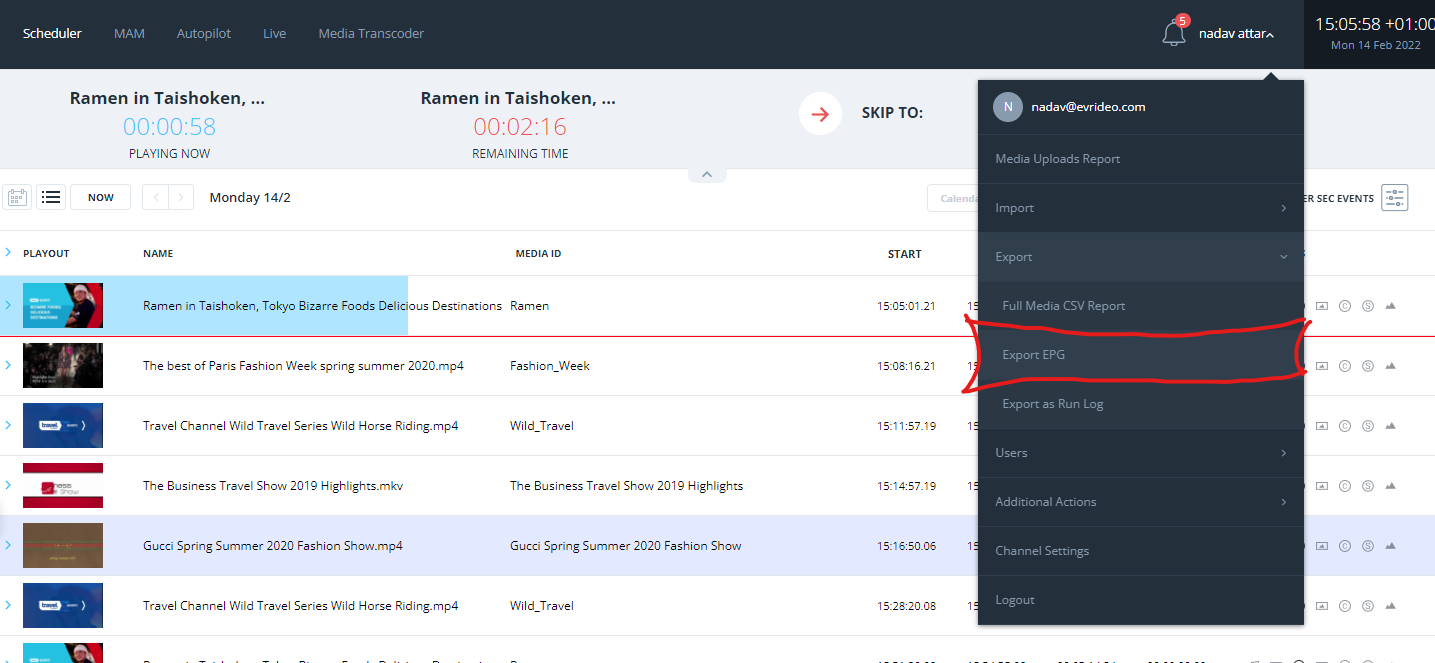
on this screen, you have several options to customize your EPG:
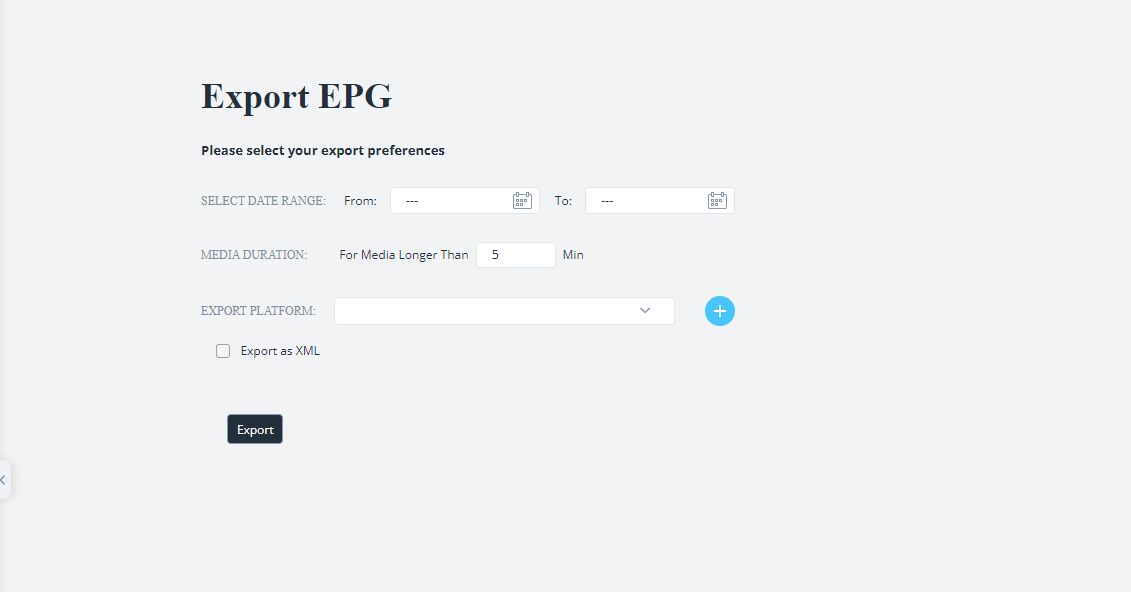
- Select Date Range - Select the beginning and the end of your EPG report
- Media Duration - define which media items will be exported to the EPG according to the length of the item; this will allow you to exclude short items such as promo's, idents, and ads from the EPG report.
- Export Platform - Here, you can create a custom report intended for specific platforms and save the custom report as a preset
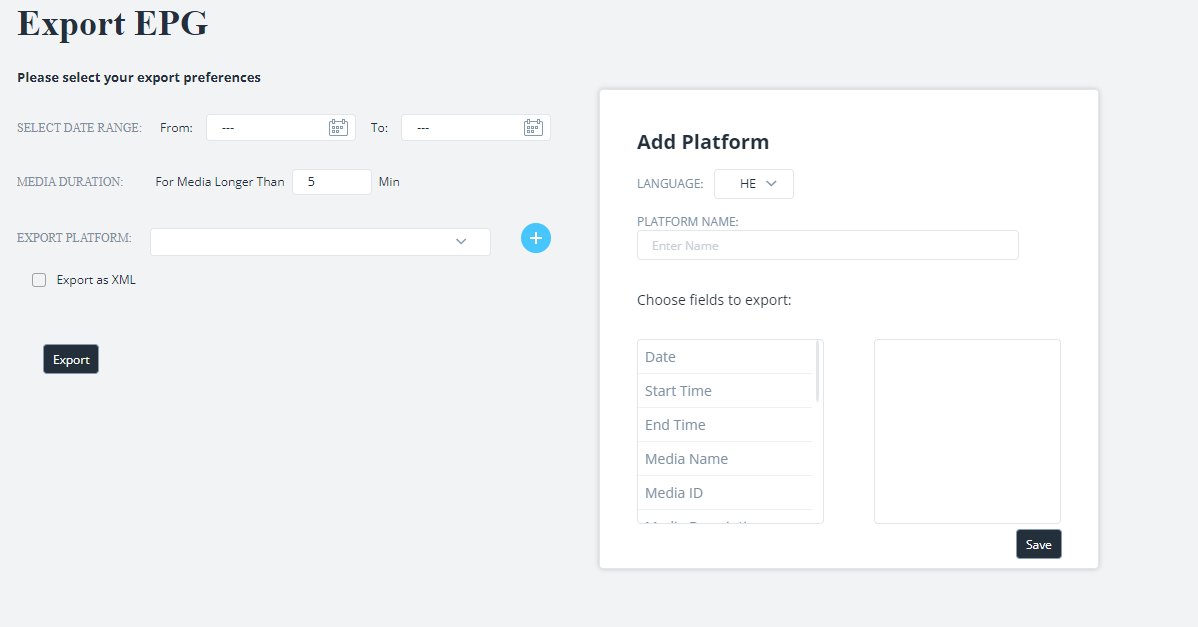
To select which fields to add to your report, drag and drop them to the second column.
The following columns are available to add to the report:- Date
- Start Time
- End Time
- Media Name
- Media ID
- Media Description
- Duration
- *Metadata fields* (all Metadata fields are available to add to the report)
- Once you finish building your custom report, please give it a name, and click "save."
- Select the Platform you just created from the dropdown list and click "Export."