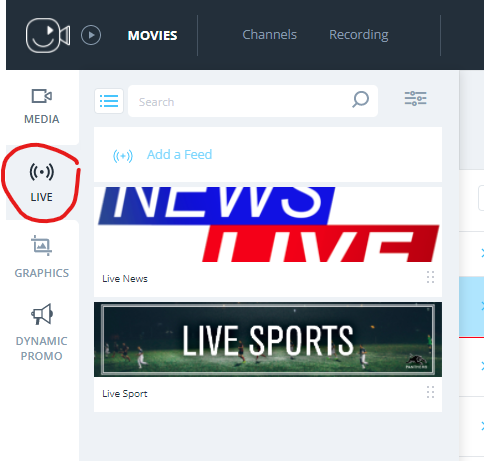
A quick guide on how to set up a live-in feed
Currently, all live-in feeds are set up by the Evrideo operations team.
The Evrideo Platform can receive a live-in feed using a public IP protocol from any source.
To set up a live feed, the operations team will require the following information:
- Feed Name - as displayed on the "Live" Tab
- Feed ID - the ID used for scheduling the live feed on the playlist
- Type - we can accept the following stream types:
- RTMP Push - In this option, you will push the RTMP feed to your Tenant on the Evrideo cloud platform; when using this option, the Evrideo operations team will provide you with the Stream name and IP address.
- RTMP Pull - in the option, the RTMP feed will be pulled to your Tenant on the Evrideo platform; when using this option, the Evrideo operations team will request the RTMP URL. If the feed is encrypted, we request you provide the Username and Password.
- Zixi/SRT Push - when using this option, the Evrideo operations team will provide you with the Stream name and IP address to push the Zixi/SRT feed.
- Zixi Pull - when using this option, the Evrideo operations team will request the Stream name, Remote Address, Remote Port, and Zixi Remote name to pull the Zixi stream to the Tenant
Once the operations team finishes setting up the live-in feed, the live-in feed will be available on the Evrideo MAM, on the tab "live."