![Logo-1.png]](https://kb.evrideo.com/hs-fs/hubfs/Logo-1.png?height=40&name=Logo-1.png)
The Full Media report displays all Media content available on the MAM.
The Full media report consists of Multiple columns:
- File Name - The original file name which you uploaded
- Video ID - The media assets Video ID
- Date and Time - when you uploaded the file
- Upload status - current status of the file here we have several options
- Uploading - upload percentage
- Transcoding - Transcoding percentage
- Success - File was uploaded successfully
- Failed - The Item failed to upload
- Deleted - The item was deleted from the MAM
- Actions - here, you have a link directly to the Item settings

As seen in the export section in the right menu, there is an option to export a CSV Full Media Report.
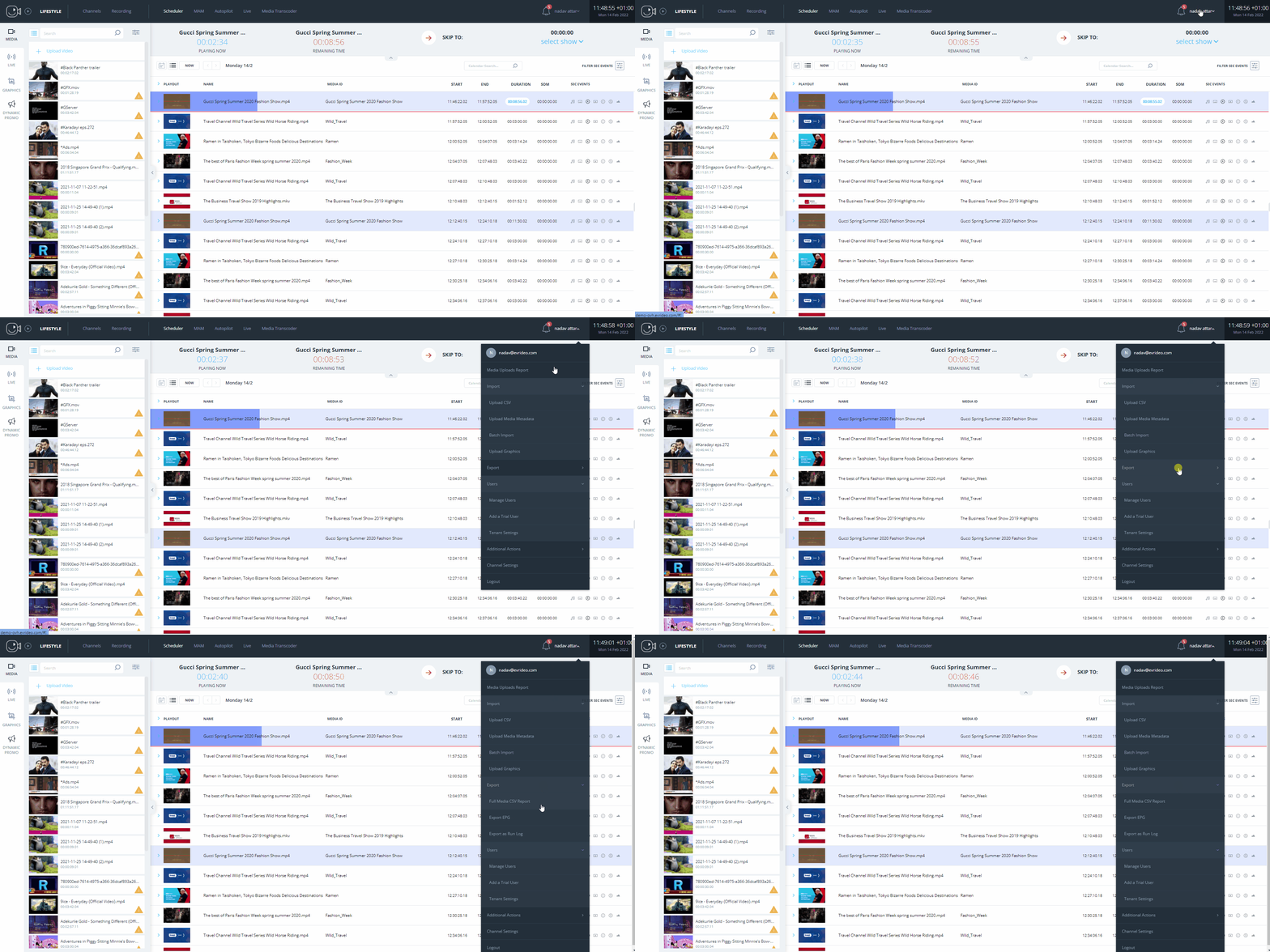
This report includes all Media data in your tenant by upload history (the newest files uploaded will show at the bottom of the list).
The CSV report looks like this:
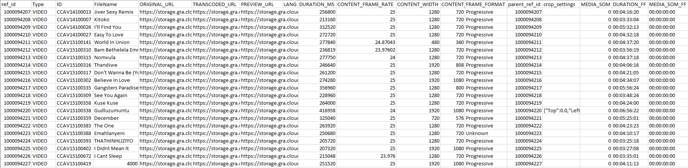
In the report, you can see columns that are not relevant for your usage, but to our internal system tracing (like ref_id, URL's, and ext.)
On the other hand, you have access to all relevant media information data (like ID, Media ID, Duration, Frame Format, and ext.)
The CSV report's main use is to give you an option to follow up the data and media in your system in the fastest way.