![Logo-1.png]](https://kb.evrideo.com/hs-fs/hubfs/Logo-1.png?height=40&name=Logo-1.png)
Right Click on any item on the scheduler will open the menu with several options.
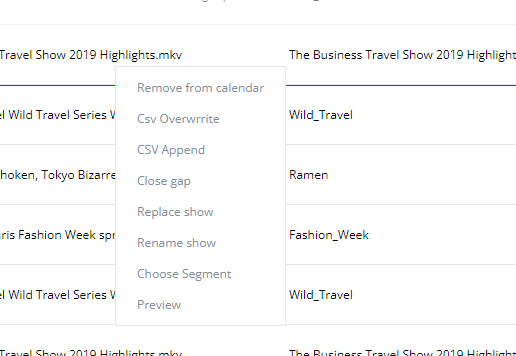
The following options are available:
- Remove from calendar - Remove the selected item from the schedule; when performing this action, a gap will appear on the schedule.
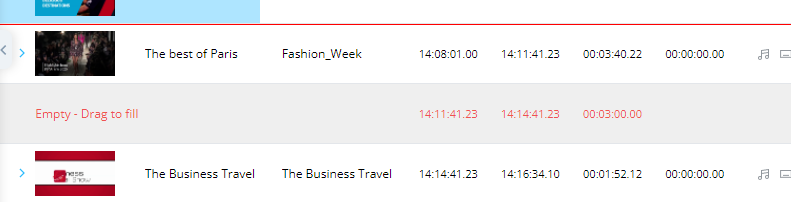
There are three options to handle the gap.
- Choose another item that is longer than the gap, that all items will be pushed accordingly
- Choose another shorter item than the gap; leave a smaller gap.
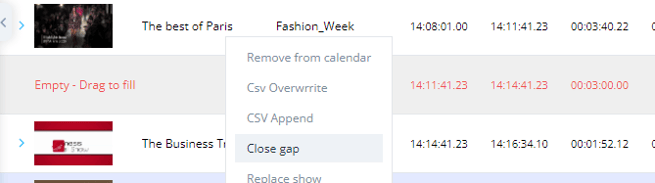
- Close the gap by right-clicking on the item above the gap and selecting “Close Gap.”
- CSV Overwrite - replace the items below the selected item with the new CSV
- CSV Append - adds the CSV items between the selected and the next item
- Close gap - Close the gap under the selected item
- Replace show - Replace the selected item on the scheduler with any other item in the MAM by entering the new item ID
You can use this option to replace all instances of the same item on the scheduler.
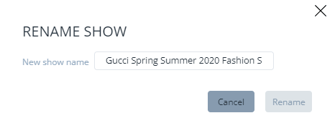
- Rename show - Rename the item title as appeared on the scheduler
- Choose segment - Change the segment currently scheduled
- Preview - In the preview window, we can watch the item as it will appears on it, including graphics and everything set for this item. We can set the length of the preview and the start time.
